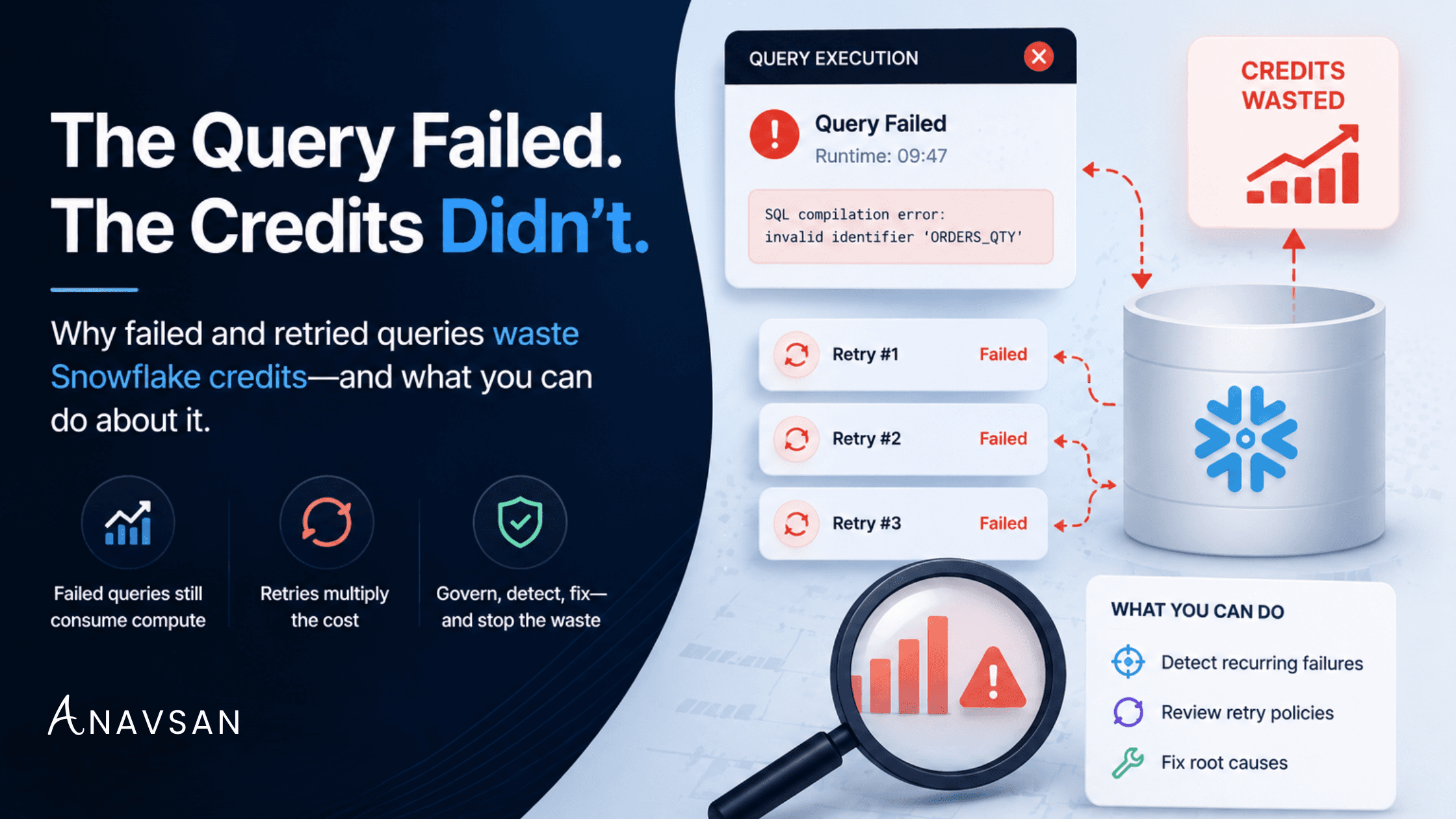
When organizations review their Snowflake costs, the focus naturally falls on successful workloads. Teams investigate long-running transformations, expensive dashboards, large data scans, and heavily utilized warehouses. These are visible, measurable, and easy to associate with business activity.
What often goes unnoticed is the amount of compute consumed by workloads that never successfully completed.
Failed queries can still consume compute credits, and automatic retries often multiply that cost. By identifying recurring failures, improving workload ownership, and reviewing retry policies, organizations can eliminate a surprisingly common source of Snowflake waste.
A Failed Query Is Not a Free Query
One of the most common misconceptions about Snowflake cost management is that failed workloads are operational problems rather than cost problems.
In reality, Snowflake charges for compute resources consumed while a warehouse is actively processing work. Whether a query eventually succeeds or fails is often irrelevant from a billing perspective.
Consider a query that scans hundreds of gigabytes of data, performs multiple joins, and runs for several minutes before encountering a schema error. Although the query never returns a successful result, the warehouse still performed substantial work before the failure occurred. The business outcome may be zero, but the compute consumption is very real.
This distinction becomes important because many organizations measure cost through completed workloads while measuring failures through operational monitoring. As a result, the relationship between failures and spend often remains invisible.
Why Queries Fail in Snowflake
Not every failure represents waste. Some failures are unavoidable and are part of normal engineering operations. However, recurring failures often indicate opportunities for both operational improvement and cost reduction.
Schema drift is a common example. A column name changes, a table is replaced, or a downstream dependency behaves differently than expected. Queries that previously executed successfully begin failing, sometimes repeatedly, before anyone notices.
Permission issues create another frequent pattern. A job may begin execution normally before encountering access restrictions on a specific object. The warehouse has already spent resources processing the workload before the query terminates.
Data quality problems can also trigger failures. Unexpected null values, malformed records, duplicate keys, or type mismatches may cause transformations to fail after substantial processing has already occurred.
The key issue is not that failures happen. The issue is when the same failures happen repeatedly.
How Retries Turn Failures Into Cost Multipliers
A single failed query is rarely a significant cost concern. Retries are where the real problem begins.
Modern data platforms are designed to recover automatically from transient issues. Orchestration platforms, transformation frameworks, and reporting tools commonly retry failed workloads without requiring manual intervention.
The problem arises when the underlying issue is not temporary. Imagine a transformation that runs for ten minutes before failing because a required table no longer exists. If the orchestrator retries the workload three additional times, the same expensive operation may execute four times without producing a successful outcome.
From an engineering perspective, the job failed once. From a cost perspective, the warehouse performed forty minutes of work. This distinction is often overlooked because retry behavior is managed by orchestration tools while cost is measured within Snowflake.
Why dbt Workloads Deserve Special Attention
For organizations running dbt on Snowflake, failed workloads deserve particular scrutiny. dbt encourages modular, dependency-driven transformations, which is one of its greatest strengths. However, that same dependency structure can amplify the impact of failures.
A single model failure can prevent downstream models from completing successfully. If retries are configured aggressively, entire portions of a transformation pipeline may repeatedly consume compute resources without delivering usable outputs.
Full-refresh operations can be especially expensive. A model may process millions of rows before failing due to a configuration issue, schema mismatch, or downstream dependency. If that workload automatically retries, compute consumption grows quickly.
Similarly, data quality tests can consume meaningful warehouse resources before identifying failures. While testing remains essential, recurring test failures should be viewed as cost governance opportunities rather than merely operational alerts.
Detect recurring failure patterns automatically
APEX monitors your Snowflake workloads for recurring failure patterns, assigns accountability, and helps resolve root causes before they multiply your compute costs.
Dashboard Failures and Reporting Workloads
Failed workloads are not limited to engineering pipelines. Business intelligence platforms can also generate recurring compute waste.
A dashboard refresh may fail because of a query timeout, connection issue, or application-level error. To the end user, the dashboard simply failed to load. Behind the scenes, however, Snowflake may have already executed several expensive queries before the failure occurred.
Some BI tools automatically retry failed refreshes or repeatedly attempt to reconnect. In environments with hundreds of dashboards and thousands of users, these failures can become surprisingly expensive over time.
The Real Problem Is Ownership
Most organizations do not struggle to detect failures. They struggle to resolve them. Monitoring systems generate alerts. Dashboards surface incidents. Logs capture execution details. Visibility is rarely the issue. Ownership is.
A failed workload without an owner often becomes a permanent feature of the environment. Teams become accustomed to seeing the alert. The query continues running. Retries continue executing. Credits continue being consumed.
This is where workload governance becomes critical. Cost optimization is not simply about identifying expensive workloads. It is about assigning responsibility for resolving them.
Governance Best Practices for Failed Queries
Reducing compute waste from failed workloads does not require complex optimization projects. In most environments, a few governance practices produce meaningful improvements:
- Establish ownership for recurring workloads. Every scheduled job, dashboard refresh, transformation pipeline, and automated process should have a clearly defined owner.
- Review retry policies regularly. Retries should be designed to recover temporary failures, not repeatedly execute permanently broken workloads.
- Prioritize failures based on compute impact. A query that fails after two seconds is fundamentally different from a transformation that fails after twenty minutes.
- Focus on root-cause resolution rather than alert management. Reducing alert volume is useful. Eliminating the underlying cause of repeated failures is far more valuable.
Questions worth asking regularly
- Which queries fail most frequently?
- Which failures trigger repeated retries?
- Which scheduled jobs have not completed successfully for extended periods?
- Which failures consume the most warehouse runtime?
- Which teams own these workloads?
- Are retries masking unresolved operational problems?
Conclusion
Snowflake credits are consumed when work is performed, not when value is delivered. That distinction makes failed and retried queries an important workload governance challenge.
A query can consume significant compute resources without producing any business outcome, and automatic retries can multiply that consumption many times over. Organizations that focus exclusively on successful workloads often miss this category of waste entirely.
By identifying recurring failures, reviewing retry behavior, establishing ownership, and resolving root causes, Snowflake teams can reduce unnecessary compute consumption while improving overall platform reliability. The goal is not simply to know when workloads fail — it is to stop paying for the same failure over and over again.
Stop paying for failures you didn't know about
Anavsan APEX surfaces hidden compute waste from failed and retried workloads, assigns accountability, and documents savings. See how it works.